AN ARCHIVE YOU CAN SWITCH ON
Objects with
something to say.
Turn them over. Look closer. Press the power button.
Explore the
machines — and the worlds inside them.
Preparing the exhibit…
Click the display to type. Escape releases keyboard focus.
Danila’s Robotron
View reference photo ↗Download board and drive models
STL geometry in millimetres, with editable OpenSCAD sources, evidence notes and licences. These Robotron models are not physically print-verified; no photo textures in STL. Physical verification catalogue.
Explore the components
Open the case or monitor and click a component, or choose one below. Each description identifies the evidence behind it.
Evidence: Danila’s specimen and comparative references. Board and keyboard geometry uses Danila’s owner photographs and W/M drawings. Comparative photographs: Old Crap Vintage Computing. Monitor reference: Robotrontechnik K7222.25. The linked comparative photographs retain their original rights; they are not photographs of Danila’s machine. Individual component cards identify owner evidence and remaining estimates.
Power supply documentation · Deutsch / English / Русский — original manual and schematic links, technical commentary and replacement candidates.
Inside a related PC 1715 · reference photos
Another specimen, not Danila’s 1715M. These comparative references show Oldcrap’s PC 1715. Boards, drives and wiring may differ from the M/W. Our modeled boards use Danila’s photographs; this gallery remains available for comparison.
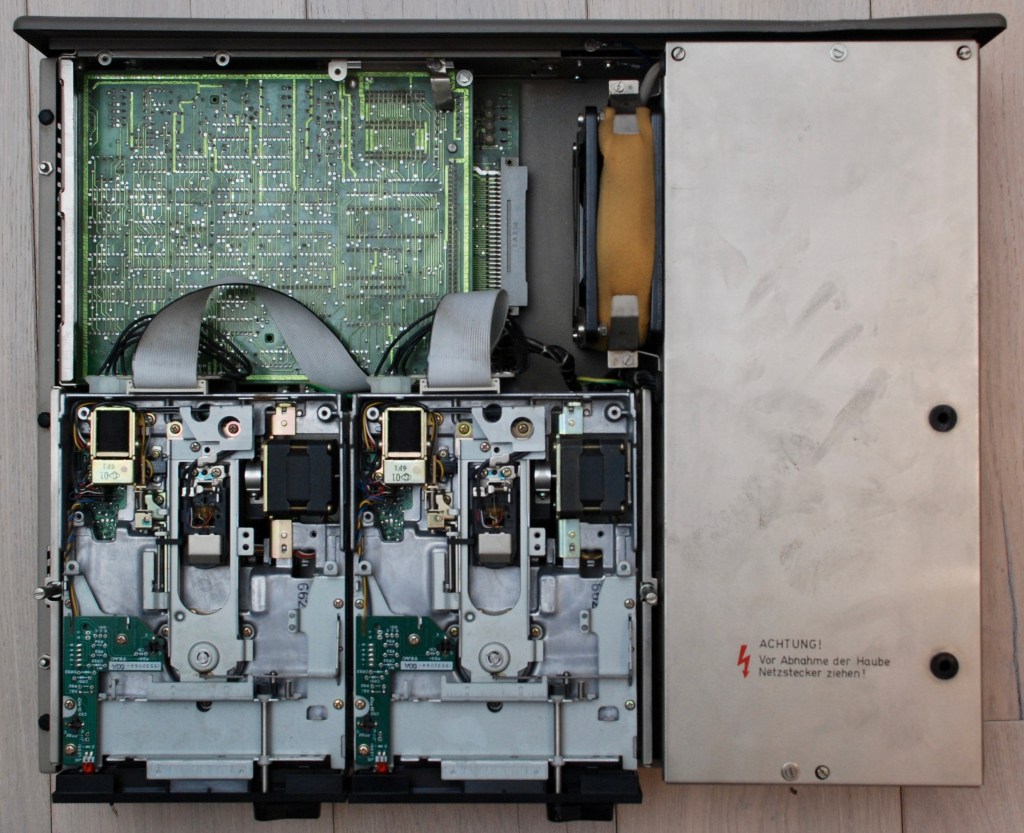 Open chassis ↗
 Motherboard ↗
Photos: Oldcrap’s Robotron 1715 restoration ↗. Loaded from the original site; original rights apply. If a photo cannot load, follow its link.
Chip package geometry: KiCad model credits and licences. Board placement uses Danila’s specimen photographs and W/M drawings; individual component positions and identities may remain estimated.
Mechanical demo active · visual only. Emulator activity continues independently.
Mechanical motion demo
Visual demonstration only. Does not operate the emulator or eject a disk.
Reduced-motion preference keeps the demo manual. Switch off to return to live drive activity.
Board photo mode shows Danila’s specimen photographs and replaces modeled components for comparison. The separate comparative gallery contains other specimens.
Disassembly is illustrative. Releasing the clamps here does not eject an emulated disk. Disconnected plugs stay with the cables. Turning drive disconnection off uses illustrative stretched drive cables. Monitor leads unplug and travel with the lifted monitor, preserving their modelled length; the disassembly sequence and slack are unmeasured.
BUILT TO BE KEPT
The object. The software.
The whole story.
This is a working prototype of a long-lived collection. Historical boot media can run on the same portable cores used by our native tools. Measured cases, detailed textures and documented interiors will follow the physical collection.
Explore the emulator sources ↗